


This is economics 101 but here’s an obvious truth:
When you’re the buyer in a transaction, you win when there’s multiple sellers and that are highly-motivated while you remain unattached to the transaction’s outcome. The converse is true when you’re the seller.
If there’s something you’re looking to buy but the immediacy of the purchase is not important, you can establish the above conditions through using RSS and persistent searches and simply being patient. Craigslist and eBay both have the ability to create a search for an item and persist it over time by monitoring an RSS feed.
For instance if I search for “guitar” in Phoenix on Craigslist it currently returns 845 results. I can whittle those down by specifying that I’m looking for a Gibson that’s priced under $300. That search returns a more manageable set of ten results. But what if none of those is right? There’s a link to a unique RSS feed for this search at the lower-right corner of the results page. By subscribing to this feed, it’s like having a college intern sit at a computer 24/7 running this search and notifying me when a new result is found. I have a separate category in my Bloglines called “Alerts” that’s specifically for the purpose of collecting notifications on persistent searches like this one.
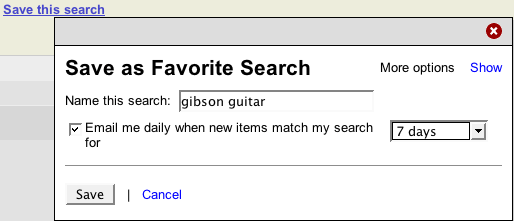
The eBay equivalent of is to use their “Favorite Search” feature and have the results delivered via email. The only problem is that email is not the ideal way to consume these notifications- if you have many from multiple sources, you have to go into each system and manage them there rather than just dropping a feed.
The more useful approach that is not publicized on eBay is a free service called RSSAuction.com. It lets you setup the same search but delivers nearly real-time results (rather than daily results) available via RSS and you don’t have to deal with subscribing and unsubscribing to emails.
The reverse of the buying scenario above is the notion that as a seller, you’re best off selling an item when you don’t actually need to. You could take the time to list a bunch of items that you’d be willing to sell on all the various listing services but the reality is that’s a lot of work if you’re not actively trying to sell something. I came up with a concept I called that I think would become very popular with the “yardsale junkie” type and could unlock a whole new market of things that people aren’t actively trying to sell but are willing to part with for the right price. If you want to be a part of developing that project, contact me through the Cambrian House project link.





Hi…we’ve been doing this for a while across a billion products and many more content sources, jobs, videos, etc. We have let our customers spread the word and we’ve grown rapidly. Check it out if you want. Enjoy.
Thanks for sharing! I knew about the Craigslist RSS feed but wasn’t aware of the eBay workaround. I’ve been doing something similar with bargain websites like BensBargains.net, DealsOfAmerica.com, Slickdeals.net, Woot.com, and Yugster.com – and then used Dapper.net to grab an RSS from MyBargainBuddy.com.
[…] For eBay: eBay doesn’t offer a custom feed for your searches, but fellow entrepreneur and blogger Sean Tierney found a service called RSSAuction.com that does. You simply perform a search the same way you would on eBay, and a feed link is generated for you to subscribe to. […]